






Hey there! As a supplier of RGB LED pool lights, I get a ton of questions about how to adjust the lighting mode of these awesome lights. So, I thought I'd put together this blog post to walk you through the whole process. Whether you're a pool owner looking to jazz up your pool parties or a contractor working on a new pool project, this guide will help you make the most of your RGB LED pool lights.
Understanding RGB LED Pool Lights
First things first, let's talk a bit about what RGB LED pool lights are. RGB stands for Red, Green, and Blue, which are the primary colors of light. By mixing these three colors in different proportions, these lights can create a wide range of colors and lighting effects. They're super popular because they allow you to customize the look of your pool, making it more inviting and fun.


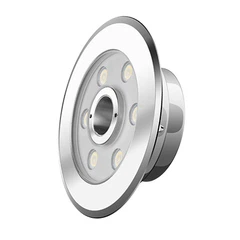
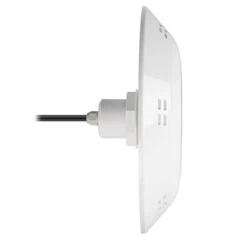
These lights come in various shapes, sizes, and styles, so you can choose the ones that best fit your pool's design. Some are designed to be installed in the pool wall, while others can be floating or placed on the pool deck. No matter which type you have, the basic principles of adjusting the lighting mode are pretty much the same.
Step 1: Know Your Controller
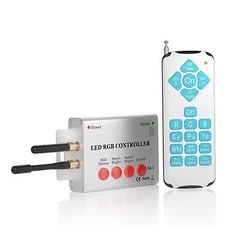
The key to adjusting the lighting mode of your RGB LED pool lights is the controller. This is the device that allows you to change the colors, patterns, and speed of the lights. There are different types of controllers available, including remote controls, wall-mounted controllers, and smartphone apps.
If you have a remote control, it usually has a series of buttons that you can press to cycle through the different lighting modes. These modes might include solid colors, color-changing patterns, strobe effects, and more. The wall-mounted controllers work in a similar way, but they're permanently installed near the pool for easy access.
Smartphone apps are becoming increasingly popular because they offer more flexibility and control. With an app, you can adjust the lights from anywhere as long as you're connected to the same Wi-Fi network as the pool lights. Some apps even allow you to create your own custom lighting patterns and save them for later use.
Step 2: Power On Your Lights
Before you can start adjusting the lighting mode, you need to make sure your RGB LED pool lights are powered on. This might seem obvious, but it's always a good idea to double-check. Most pool lights are connected to a power source through a transformer, which converts the high-voltage electricity from your home's electrical system to a safe, low-voltage current for the lights.
Once the lights are powered on, give them a few seconds to warm up. During this time, the lights might flicker or flash a bit as they initialize. Don't worry; this is normal.
Step 3: Choose Your Lighting Mode
Now that your lights are on and your controller is ready, it's time to choose the lighting mode you want. If you're using a remote control, start by pressing the "Mode" or "Pattern" button. This will cycle through the different pre-programmed lighting modes. As you press the button, you'll see the lights change colors and patterns.
Some common lighting modes include:
- Solid Colors: This mode allows you to set the lights to a single color, such as red, green, blue, or white. You can usually select the color by pressing the corresponding color button on the controller.
- Color Changing: In this mode, the lights will gradually change from one color to another. You can adjust the speed of the color change by pressing the "Speed" button on the controller.
- Strobe Effect: This mode creates a flashing effect, which is great for adding a bit of excitement to your pool parties. You can adjust the frequency of the strobe by pressing the "Speed" or "Frequency" button.
- Fade Effect: Similar to the color-changing mode, but the transition between colors is smoother and more gradual.
If you're using a smartphone app, the process is a bit different. Open the app and connect it to your pool lights. Once connected, you'll see a user-friendly interface that allows you to select the lighting mode, adjust the color, and control the speed and intensity of the lights. You can also create your own custom lighting patterns by mixing different colors and effects.
Step 4: Fine-Tune Your Settings
Once you've chosen a lighting mode, you might want to fine-tune the settings to get the perfect look for your pool. For example, you can adjust the brightness of the lights to make them more or less intense. This is especially useful if you're using the lights during the day or at night.
To adjust the brightness, look for the "Brightness" or "Intensity" button on your controller. Press the button to increase or decrease the brightness level. You can also adjust the color temperature of the lights to create a warmer or cooler atmosphere. Some controllers have a "Color Temperature" button that allows you to do this.
Step 5: Save Your Settings
If you find a lighting mode and settings that you really like, you can save them for later use. This is especially useful if you have a specific lighting setup for different occasions, such as pool parties or romantic evenings.
Most controllers allow you to save up to a certain number of presets. To save a preset, look for the "Save" or "Preset" button on your controller. Press the button and then select the preset number you want to save the settings to. The next time you want to use the same lighting setup, simply press the corresponding preset button on the controller.
Tips and Tricks
- Experiment with Different Modes: Don't be afraid to try out different lighting modes and settings to see what works best for your pool. You might be surprised at how different the pool can look with different colors and patterns.
- Consider the Time of Day: The lighting mode you choose can have a big impact on the overall look of your pool depending on the time of day. During the day, you might want to use brighter, more vibrant colors to make the pool stand out. At night, softer, more relaxing colors can create a more inviting atmosphere.
- Use Multiple Lights: If you have multiple RGB LED pool lights, you can create even more interesting lighting effects by synchronizing them. Some controllers allow you to control multiple lights at the same time, so you can create a coordinated lighting display.
Conclusion
Adjusting the lighting mode of your RGB LED pool lights is a fun and easy way to customize the look of your pool. By following these steps and using the tips and tricks I've shared, you can create a unique and inviting atmosphere for your pool parties, family gatherings, or just a relaxing evening by the pool.
If you're interested in purchasing RGB LED pool lights or have any questions about our products, please feel free to contact us for more information. We're a leading Pool Lighting Company and would be happy to help you find the perfect pool lights for your needs. Whether you're looking for 12v swimming pool with led lights or the Best Led Lights For Pool, we've got you covered.
References
- General knowledge about RGB LED pool lights and their operation.
- Experience as a supplier of RGB LED pool lights.