






Hey there! If you're into lighting control and have a thing for RGB effects, you've probably thought about programming an RGB DMX controller. As a supplier of RGB DMX controllers, I've seen firsthand the amazing possibilities these devices offer. In this blog post, I'm gonna walk you through the process of programming an RGB DMX controller, from the basics to some advanced tips.
What is an RGB DMX Controller?
First things first, let's quickly go over what an RGB DMX controller is. DMX stands for Digital Multiplex, which is a standard protocol used to control lighting fixtures. An RGB DMX controller allows you to control the color and intensity of RGB lights using the DMX protocol. This means you can create all sorts of cool lighting effects, like color fades, strobes, and chases.
Getting Started
Before you start programming your RGB DMX controller, you'll need a few things:
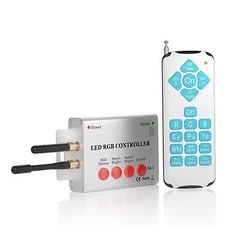
- An RGB DMX Controller: Obviously, you can't program a controller if you don't have one. As a supplier, I can offer you a wide range of RGB DMX controllers to suit your needs. Whether you're looking for a simple, entry - level controller or a more advanced, feature - rich one, we've got you covered.
- RGB Lights: You'll need some RGB lights that are compatible with the DMX protocol. These can be anything from small LED strips to large stage lights. Make sure the lights you choose support DMX control.
- DMX Cable: A DMX cable is used to connect your controller to the lights. It's important to use a good - quality cable to ensure reliable communication between the controller and the lights.
- Computer or Programming Device: Depending on the type of controller you have, you may need a computer or a dedicated programming device to program it. Some controllers have built - in programming interfaces, while others require you to use software on your computer.
Understanding DMX Addressing
One of the most important concepts in DMX control is DMX addressing. Each DMX device, including your RGB lights, needs to be assigned a unique DMX address. This address tells the controller which device it's sending commands to.
To set the DMX address of your RGB lights, you'll usually need to use a dip switch or a menu on the light fixture itself. The process can vary depending on the make and model of the lights, so make sure to read the manufacturer's instructions.
Once you've set the DMX addresses for your lights, you'll need to configure the same addresses on your RGB DMX controller. This ensures that the controller sends the right commands to the right lights.
Basic Programming
Now that you've got everything set up, it's time to start programming! Most RGB DMX controllers come with a set of pre - programmed effects, but you can also create your own custom effects.
Let's start with a simple example: creating a color fade effect.
- Open the Programming Interface: If your controller has a built - in display, you can use the buttons on the controller to access the programming menu. If you're using software on your computer, open the appropriate DMX control software.
- Select the Lights: Use the DMX addressing information you set up earlier to select the RGB lights you want to control.
- Choose the Effect: Look for an option to create a color fade effect. This might be called something like "Fade" or "Color Cycle".
- Set the Parameters: You can usually adjust the speed of the fade, the colors involved, and other parameters. For example, you might want to set the fade to go from red to green to blue.
- Save the Effect: Once you're happy with your settings, save the effect so you can use it later.
Advanced Programming
If you're feeling more adventurous, you can try some advanced programming techniques. Here are a few examples:
- Chase Effects: A chase effect is where a pattern of lights moves across a group of fixtures. You can create chase effects by programming the controller to turn on and off different lights in a sequence.
- Strobe Effects: Strobe effects are great for creating a high - energy atmosphere. You can set the controller to flash the lights at a specific frequency.
- Sound - Activated Effects: Some RGB DMX controllers can be programmed to respond to sound. This means the lights will change color and intensity based on the music or other audio input.
Using Our Products
As a supplier of RGB DMX controllers, we offer a range of features that make programming easy and fun. Our controllers are designed with user - friendly interfaces, so even if you're new to DMX control, you'll be able to get the hang of it quickly.
We also offer support and resources to help you with your programming. If you have any questions or run into any issues, our team is here to assist you.
Related Products
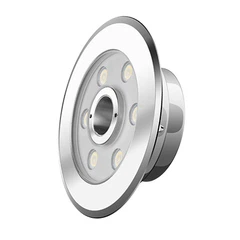
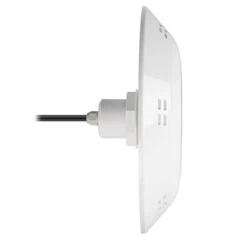
If you're interested in expanding your lighting setup, we've got some great related products. Check out our PAR56 Niche, which is a great addition to any pool lighting system. Our Universal Pool Light Remote allows you to control your pool lights from a distance, and our High Luminous Efficiency Of LED Light Source provides bright and energy - efficient lighting.


Contact Us for Purchase
If you're ready to take your lighting to the next level with our RGB DMX controllers, we'd love to hear from you. Whether you're a professional lighting designer, a hobbyist, or a business owner, we can provide you with the right products and support. Reach out to us to start a conversation about your lighting needs and how our RGB DMX controllers can fit into your setup.
References
- General knowledge of DMX control and lighting technology from industry experience.
- Manufacturer's manuals for RGB DMX controllers and RGB lighting fixtures.