






Hey there! As a supplier of RGB light controllers, I've seen my fair share of issues when it comes to these nifty devices getting damaged. So, I thought I'd share some tips on how you can protect your RGB light controller from harm.
Understanding Your RGB Light Controller
First things first, let's talk a bit about what an RGB light controller is. It's a device that allows you to control the color, brightness, and sometimes even the pattern of RGB lights. Whether you're using it for your home lighting, a party setup, or in a commercial space, it's an essential part of creating the perfect lighting ambiance.
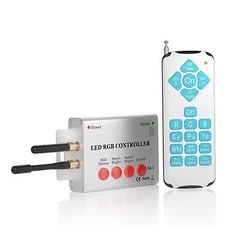
There are different types of RGB light controllers out there. For example, the two lines rgb light controller is a common type that's often used in various lighting setups. And if you're into more advanced control, the TUYA APP Control gives you the convenience of controlling your lights from your smartphone.
Choosing the Right Location
One of the most important steps in protecting your RGB light controller is choosing the right location to install it. You want to keep it away from areas where it could get wet. Water is a big no - no for electronics, and an RGB light controller is no exception.
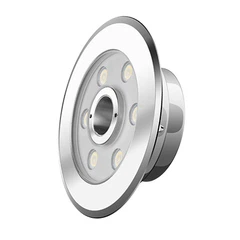
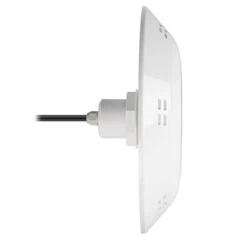
If you're using it outdoors, make sure it's in a sheltered area. For instance, if you're using RGB lights for your pool area and have a Color Pool Light with Remote Control, place the controller in a dry cabinet or a weather - proof box. Avoid leaving it out in the open where it can be exposed to rain or splashes.
Indoors, keep it away from areas prone to spills, like near the kitchen sink or in the bathroom. A stable and dry surface, like a shelf or a dedicated electronics cabinet, is a great place to put it.
Protecting from Power Surges
Power surges can be a real nightmare for your RGB light controller. They can fry the internal components and render the device useless. To protect against power surges, use a surge protector.
A surge protector acts as a buffer between your controller and the electrical outlet. It diverts the excess voltage from a power surge away from your device, keeping it safe. You can easily find affordable surge protectors at your local electronics store. Just plug your RGB light controller into the surge protector, and you're good to go.
Proper Handling
When it comes to your RGB light controller, proper handling is key. Avoid dropping it or subjecting it to any kind of physical shock. Even a small drop can cause internal damage to the delicate circuitry inside.
When you're moving or installing the controller, hold it gently and be careful not to tug on the wires too hard. Make sure all the connections are secure but don't over - tighten them, as this can also cause damage.
Regular Cleaning
Dust and debris can accumulate on your RGB light controller over time. This can not only make it look dirty but can also cause overheating. Overheating can lead to premature failure of the components.
To clean your controller, first, make sure it's unplugged from the power source. Use a soft, dry cloth to gently wipe the exterior. For hard - to - reach areas, you can use a can of compressed air to blow out the dust. Just be careful not to get too close to the openings with the compressed air, as it could force dust further inside.
Software Updates
If your RGB light controller is app - controlled, like the one with TUYA APP Control, make sure to keep the app updated. Software updates often come with bug fixes and security patches that can help protect your controller from potential issues.
Manufacturers are constantly improving their software to enhance the performance and security of their products. So, don't ignore those update notifications. Just follow the instructions in the app to install the latest version.
Avoiding Overloading
Each RGB light controller has a specific load capacity. This means it can only handle a certain amount of electrical load. Overloading the controller can cause it to overheat and eventually fail.
Before connecting your lights to the controller, check the power requirements of the lights and make sure they are within the controller's capacity. If you need to connect more lights than the controller can handle, consider using multiple controllers or upgrading to a more powerful one.
Protecting from EMI
Electromagnetic interference (EMI) can also affect the performance of your RGB light controller. EMI can come from other electronic devices, such as microwave ovens, motors, or even other wireless devices.
To reduce the impact of EMI, keep your RGB light controller away from these sources of interference. You can also use shielded cables for the connections, which can help block out the electromagnetic waves.
Storage
If you're not going to use your RGB light controller for an extended period, proper storage is important. First, make sure it's completely powered off and unplugged.

Store it in a cool, dry place. You can use the original packaging if you still have it, as it's designed to protect the device during transportation and storage. If not, you can use a padded box or a storage container to keep it safe from dust and physical damage.

Final Thoughts and Call to Action
Protecting your RGB light controller doesn't have to be a hassle. By following these simple tips, you can ensure that your controller lasts a long time and provides you with reliable performance.
As a supplier of high - quality RGB light controllers, I'm always here to help you with any questions you might have. Whether you're looking to buy a new controller, need advice on installation, or want to know more about maintenance, I'm just a message away.
If you're interested in purchasing an RGB light controller or any related accessories, don't hesitate to reach out. We offer a wide range of products, including the Color Pool Light with Remote Control, two lines rgb light controller, and controllers with TUYA APP Control. Let's start a conversation and find the perfect lighting solution for you!
References
- General knowledge from years of experience as an RGB light controller supplier.
- Electronics industry best practices for device protection and maintenance.