






Sharing the control of an RGB light controller can be a game - changer, especially in settings where multiple people want to have a say in the lighting ambiance. As an RGB light controller supplier, I've seen firsthand how this need for shared control has grown over time. In this blog, I'll walk you through the different ways you can share the control of an RGB light controller with others.
Understanding the Basics of RGB Light Controllers
Before we dive into sharing control, it's essential to understand what RGB light controllers are. These nifty devices allow you to manipulate the color and intensity of RGB lights. They're super popular in a variety of settings, from home theaters to swimming pools. For instance, if you've got a pool, you might be interested in the Universal Pool Light Remote, which gives you control over the pool lights.
RGB lights can create different moods. You can set them to a warm red for a romantic evening or a cool blue for a relaxing pool party. The 5 wires rgb dmx controller is a great option for those who want more advanced control features, like controlling multiple lights in a coordinated way.
Why Share the Control?
There are many reasons why you'd want to share the control of an RGB light controller. In a family setting, everyone might have different preferences for the lighting. Kids might love bright, colorful lights for playtime, while parents might prefer a more subdued tone in the evenings. At a party, guests could take turns changing the lights to match the music or the mood of the event.
In a commercial setting, like a bar or a club, different staff members might need control over the lights at various times. For example, the DJ might want to sync the lights with the music, while the manager might want to adjust them for different events.
Methods of Sharing Control
Wireless Connectivity
One of the easiest ways to share control of an RGB light controller is through wireless connectivity. Most modern RGB light controllers come with Wi - Fi or Bluetooth capabilities. This means that multiple devices, like smartphones or tablets, can connect to the controller simultaneously.
Let's say you've installed an RGB light controller in your pool area. You can download a dedicated app on your phone and invite your friends and family to do the same. Once everyone's devices are connected to the controller via Wi - Fi or Bluetooth, they can all control the lights. It's a fun way to get everyone involved in creating the perfect pool party atmosphere.
Multi - User Accounts
Some advanced RGB light controllers support multi - user accounts. You can create different accounts for different people, each with its own set of permissions. For example, you can give your kids limited control, like only being able to change the color, while you have full control over all the settings.
This is a great option for businesses as well. You can create accounts for different employees and assign them specific tasks. For instance, the event planner can have access to all the lighting presets, while the maintenance staff only has the ability to turn the lights on and off.
Physical Sharing
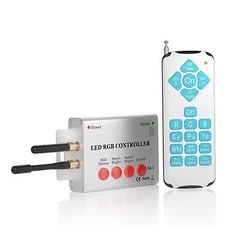
In some cases, you might not have access to wireless connectivity or multi - user accounts. In these situations, you can still share control physically. For example, you can pass around a remote control. This is a simple and straightforward method, but it might not be as convenient as the other options, especially if there are a lot of people who want to control the lights.
Considerations for Sharing Control
When sharing the control of an RGB light controller, there are a few things you need to keep in mind.
Security
If you're using wireless connectivity or multi - user accounts, security is a major concern. You don't want unauthorized people to gain access to your lights and mess up the settings. Make sure to set a strong password for your Wi - Fi network and change the default passwords on your RGB light controller.
Compatibility
Not all devices are compatible with all RGB light controllers. Before you start sharing control, make sure that the devices your friends, family, or employees will be using are compatible with the controller. You don't want to run into issues where someone's phone can't connect to the controller.
User Education
If you're sharing control with multiple people, it's important to make sure they know how to use the controller. Provide them with some basic instructions or a quick tutorial. This will help avoid any confusion and ensure that everyone can enjoy controlling the lights.
Complementary Products
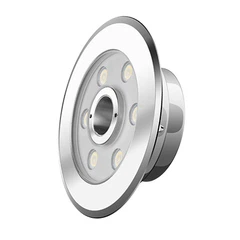
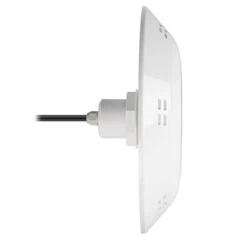
When you're dealing with RGB light controllers, there are some complementary products that can enhance your experience. The abs swimming pool light cover is a great addition. It not only protects your pool lights but also can be used in combination with the lighting effects to create a unique look.
Contact Us for Procurement
If you're interested in purchasing RGB light controllers or any of our other products, we'd love to talk to you. We offer a wide range of high - quality controllers with different features to suit your needs. Whether you're looking for a simple controller for your home or a more advanced one for a commercial space, we've got you covered. Get in touch with us to start a procurement discussion and take your lighting experience to the next level.


References
- General knowledge about RGB light control systems from years in the industry.
- User manuals and product specifications of various RGB light controllers.